
App + mini printer
Install the TuniMobile app on an Android phone, pair a GOOJPRT PT-210 over Bluetooth, and print tickets for all three operators in seconds.



- 1 DT · 5 DT

How it works
An Android phone and a GOOJPRT PT-210.
-
Install the app
From Google Play, on your Android phone. Sign in with the account our team activated.
-
Pair the PT-210
Switch the printer on, turn on Bluetooth, then pick it in the app’s print settings.
Guide: connect the mini printer -
Top up your balance
By bank transfer or deposit. The amount is credited to your account.
Guide: top up your balance -
Print the ticket
Operator, amount, print: the ticket comes out in seconds and the customer dials the code.
-
Reprint when needed
Every sale stays in the app’s history.
 Android app
The app our resellers use.
An Android phone, the TuniMobile app and a Bluetooth mini printer: your point of sale is ready.
- Ooredoo, Orange and Tunisie Telecom, in 1 DT and 5 DT
- Your balance always on screen
- Bluetooth printing on the GOOJPRT PT-210
- Ticket history, filters and reprint
- Real-time notifications
- ★ 4.8
- on Google Play
- 1k+
- downloads
- Free
- Android
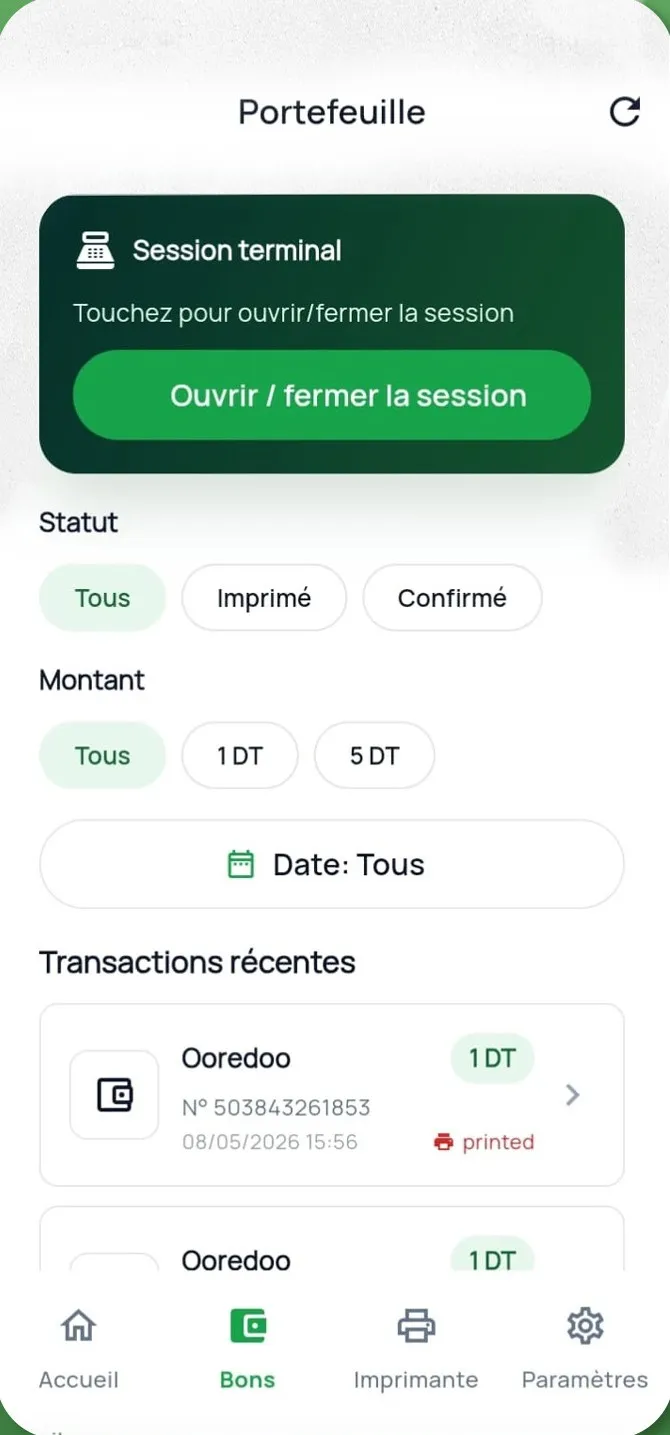
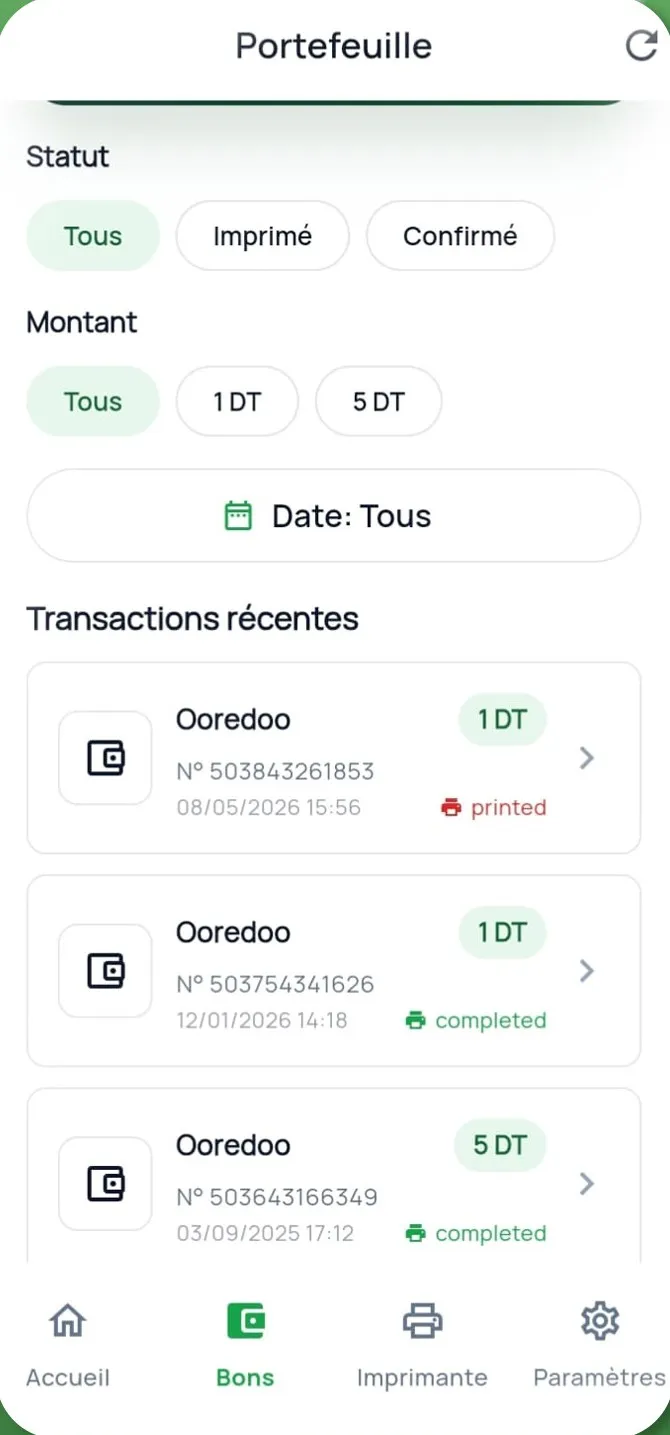
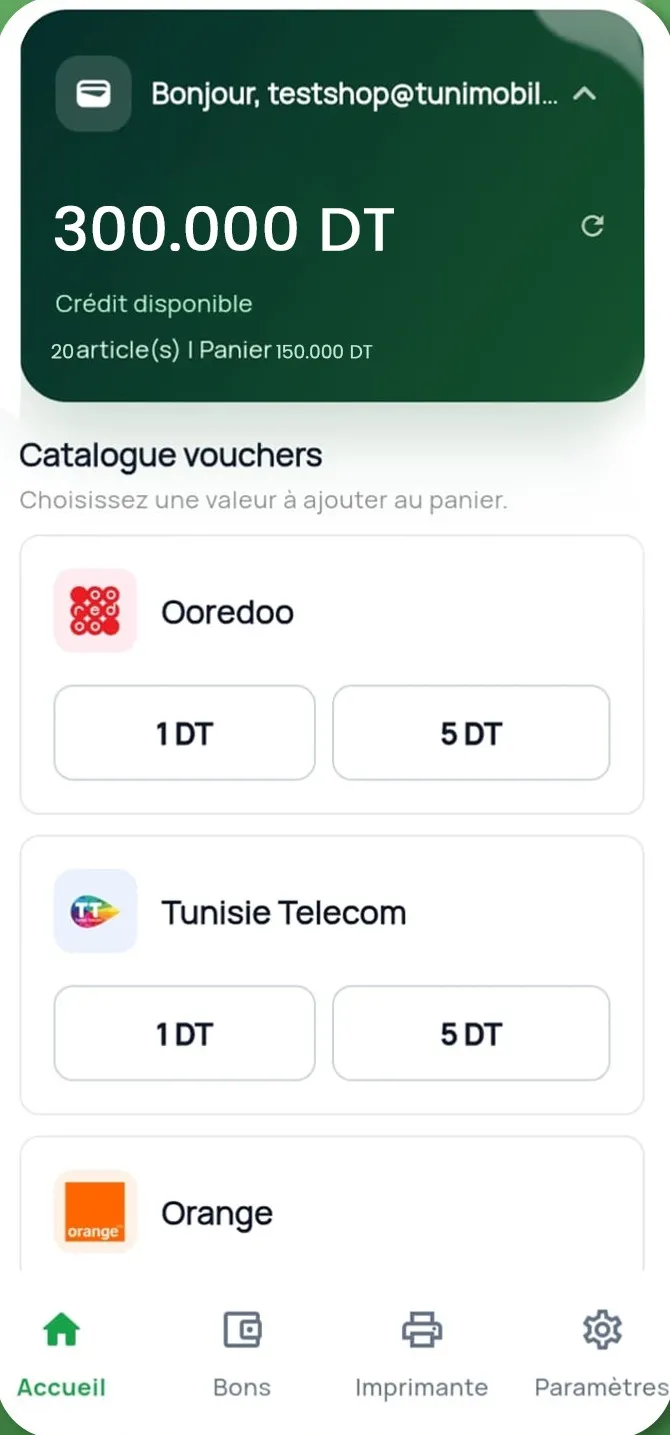
With the GOOJPRT PT-210 mini printer
What you need
- An Android phone
- A GOOJPRT PT-210 mini printer
- 58 mm thermal paper rolls
- An internet connection, mobile data or Wi-Fi
- Printer
- GOOJPRT PT-210
- Connection
- Bluetooth
- Paper
- 58 mm thermal
- Size
- About 11 × 8 × 4.5 cm
Who it’s for
- Grocers
- Phone booths
- Kiosks
- Phone shops
- Shops just starting out
Your questions
Which phones?
Android phones, with the TuniMobile app from Google Play.
Will another Bluetooth printer work?
We recommend the GOOJPRT PT-210, the one our resellers use. For another model, call us before you buy.
What if nothing prints?
Check the paper roll, switch the printer off and on, and pair it again. Otherwise call support on +216 31 387 935.